Google Unveils First Android 17 Beta Focus on Performance and Privacy
Google has officially launched the inaugural public beta of Android 17, providing developers and early adopters with their first glimpse of the next major iteration of the mobile operating system. The rollout, which began on Friday, emphasizes performance tuning, refined privacy controls, and a new approach to how Google introduces upcoming software features.
Shift to ‘Canary’ Channel for Developer Access
In a notable change to its release strategy, Google has moved away from the traditional “Developer Preview” model. Instead, the company is now utilizing a continuous “Canary” channel to distribute early builds. This shift is designed to give the developer community more consistent and timely access to new features as they are developed.
Key Features of Android 17 Beta 1
According to the tech giant, Android 17 is centered on delivering a smoother user experience through significant performance optimization. The first beta includes system-level enhancements aimed at improving background task management and boosting overall power efficiency. These changes are intended to help applications run more fluidly, particularly during multitasking.
On the privacy front, Android 17 Beta 1 introduces updated permission management tools. Users will gain clearer visibility into how applications access sensitive data, including location, microphone, and camera inputs.
For developers, the update brings professional-grade tools for media and camera applications. New features include support for seamless transitions, standardized loudness controls, and the addition of the Versatile Video Coding (VVC) standard. Furthermore, the audio framework now enforces stricter limits on background audio interactions, such as playback, focus requests, and volume adjustments. Google states this ensures these actions are intentionally initiated by the user.
Interface Refinements and Large-Screen Support
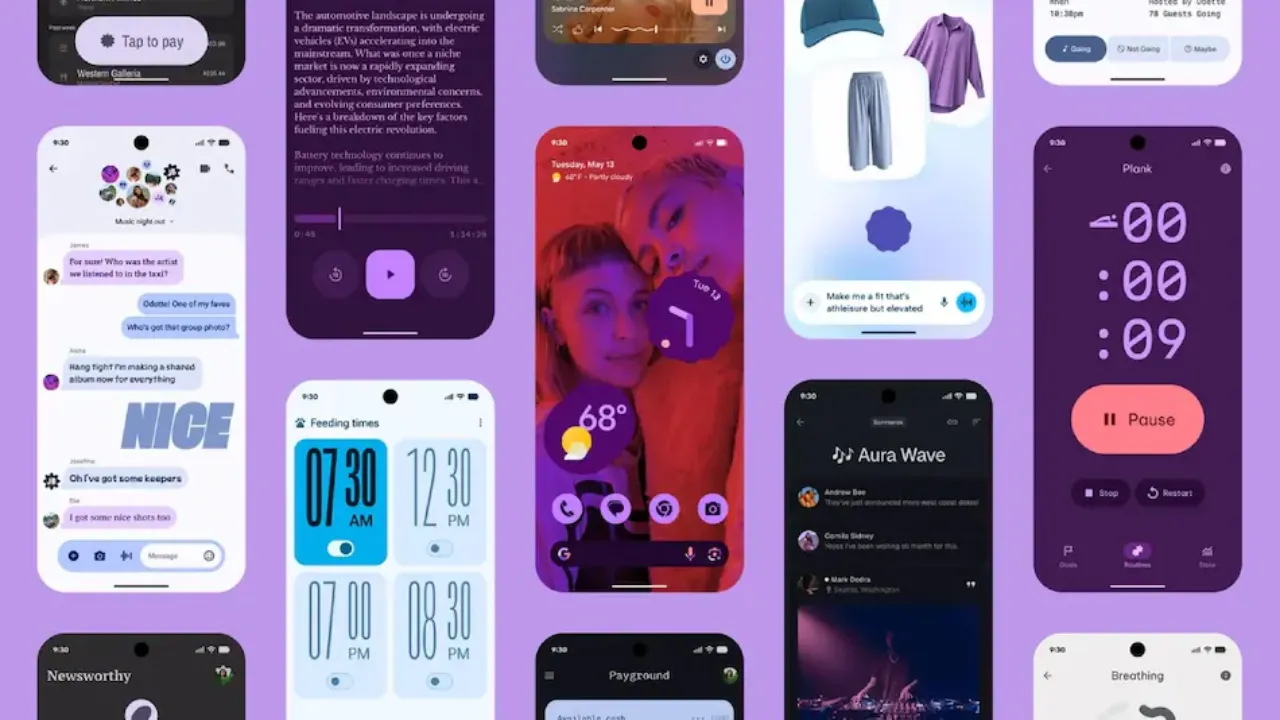
Visually, Android 17 offers subtle interface polish. Users can expect smoother system animations along with refinements to notification behavior and quick settings. Support for large-screen devices like foldables and tablets has also been enhanced. Google has removed the opt-out option for orientation and resizability restrictions on larger screens, ensuring applications scale and adapt their layouts more effectively.
Additionally, the update places new restrictions on the size of custom notification views to reduce memory usage. This change closes a previous loophole that allowed apps to bypass existing limits via URIs. This behaviour applies to applications targeting API level 37 and higher.
How to Install the Android 17 Beta on Pixel Devices
The Android 17 Beta 1 is currently available for select Pixel smartphones enrolled in the Android Beta Program. Eligible devices range from the Pixel 6 series up to the latest Pixel 10 models.
To install the update, users can follow these steps:
-
Visit the official Android Beta Program website and sign in with a Google account.
-
Select the eligible Pixel device and opt into the program.
-
On the device, navigate to Settings > System > Software Update.
-
Check for updates and download Android 17 Beta 1 once it appears.
Once installed, the device will receive future beta updates automatically over-the-air (OTA). Users are advised that beta software may contain bugs or stability issues and is generally recommended for developers or advanced users rather than for daily drivers on primary devices.
Read Also : Trump Phone Appears in Real Photos Following Specification Changes
Frequently Asked Questions (FAQs)
1. What is the main focus of the Android 17 Beta 1 update?
According to Google, the primary focus of Android 17 is performance optimisation, smoother user experiences, and enhanced privacy controls, along with improved tools for developers.
2. How is Google changing the way it releases early versions of Android?
Google has replaced the traditional “Developer Preview” with a continuous “Canary” channel to provide the developer community with more consistent and timely access to new features.
3. Which Pixel devices are compatible with the Android 17 Beta 1?
The Android 17 Beta 1 is available for supported Pixel smartphones enrolled in the Android Beta Program, ranging from the Pixel 6 series to the latest Pixel 10 models.
4. What are the new privacy features in Android 17 Beta 1?
The update brings refinements to permission management, offering users clearer visibility into how apps access sensitive data such as location, microphone, and camera inputs.
5. How can a user install the Android 17 Beta on their Pixel phone?
Users can enroll their eligible Pixel device in the Android Beta Program via the official website. After enrollment, they can go to Settings > System > Software Update on their phone to download the beta.
Disclaimer: This article is based on information provided by the company regarding the initial beta release. Beta software is by nature experimental and may contain bugs or performance issues that could affect device functionality. Users are advised to proceed with caution and understand the risks before installing beta software on primary devices.