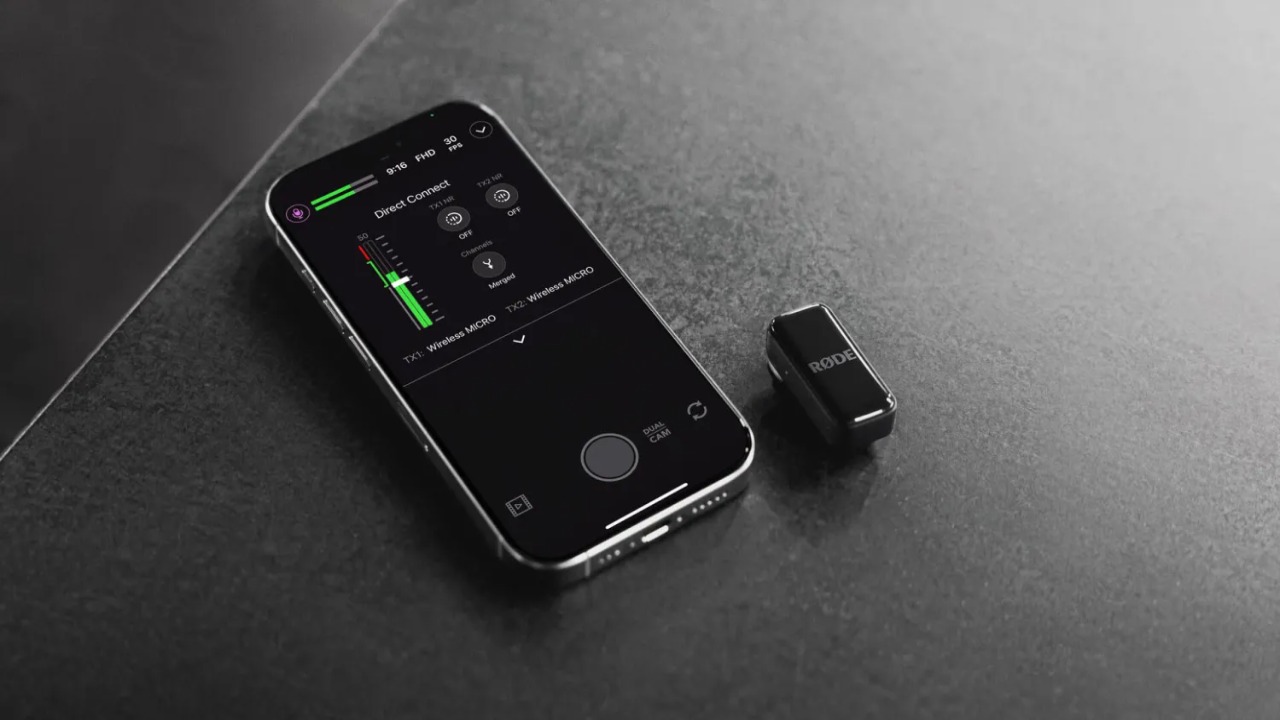
In a significant update for mobile content creators, Rode wireless has expanded its ‘Direct Connect’ feature to two of its popular wireless microphone systems. This functionality, previously available only on the Rode Wireless Micro, allows users to pair the mics directly with an iPhone via Bluetooth, eliminating the need for a physical receiver.
Traditionally, Rode wireless lavalier microphone setups require a dedicated receiver unit to capture the audio signal and transmit it to a smartphone or camera. With the new firmware, the Wireless Pro and Wireless Go (third-gen) models can bypass this step when used with the Rode Capture app.
Also Read :Boat Chrome Iris Launched in India with 1.32-Inch AMOLED Display, 1000 Nits Brightness
According to a report by Engadget, the company is now distributing a firmware update that brings this streamlined capability to the other two microphone models. This move aims to provide a more convenient and cable-free recording experience for iPhone users.
How to Update and Use the Rode wireless Direct Connect Feature
To activate the new feature, users must first update their microphone’s firmware. The process requires the receiver for the initial setup, but once completed, the receiver is no longer needed for operation with an iPhone.
Here is a step-by-step guide on how to enable Direct Connect:
-
Ensure the latest version of the RØDE Capture app is installed on your iPhone. This can be verified through the App Store.
-
Connect the receiver to your iPhone. Confirm that both transmitters are powered on, removed from the charging case, and successfully paired with the receiver.
-
Open the RØDE Capture app. If a firmware update is detected, a prompt will appear on the screen. Follow the instructions provided to install the update.
-
After the firmware update finishes, disconnect the receiver from the iPhone and place it back into its charging case.
-
Inside the app, navigate to the audio menu located in the top-left corner.
-
Select the option labelled “Direct Connect to TX.” The app will then begin searching for nearby transmitters.
-
Place your transmitter into pairing mode. This is confirmed when its indicator lights start flashing.
-
Once the transmitter’s name appears in the app, tap on it to establish a connection. Recording can now begin wirelessly without the receiver.
Rode wireless Audio Quality Remains Uncompromised
While Bluetooth audio connections have historically faced criticism for lower sound quality, Rode assures users that this new method maintains high standards. The company states that the Direct Connect feature allows the system to deliver “the broadcast-quality audio both wireless systems are known for,” ensuring that the convenience of a receiver-free setup does not come at the cost of professional audio fidelity.
Frequently Asked Questions (FAQs)
1. Which Rode microphone models are getting the Direct Connect feature?
The firmware update for Direct Connect is being rolled out for the Rode Wireless Pro and the Rode Wireless Go (third-generation) models.
2. Is a receiver required to use these microphones with an iPhone after the update?
No, the receiver is only needed to perform the initial firmware update. Once the update is complete, the microphones can connect directly to the iPhone’s RØDE Capture app via Bluetooth without the receiver.
3. What is the name of the app needed to use Direct Connect?
Users must have the RØDE Capture app installed on their iPhone to use the Direct Connect feature.
4. Will using Bluetooth for this connection reduce the audio quality?
According to Rode, the Direct Connect feature is designed to preserve the broadcast-quality audio that the Wireless Pro and Wireless Go systems are known for, ensuring no compromise on sound fidelity.
5. How do I put my Rode transmitter into pairing mode for Direct Connect?
To enter pairing mode, ensure the transmitter is powered on. It is ready to pair when its indicator lights begin to flash.
This table summarizes the key details of the firmware update and the new feature:
| Feature | Details |
|---|---|
| Product Models | Rode Wireless Pro and Rode Wireless Go (Third-Generation) |
| New Functionality | Direct Connect via Bluetooth to iPhone |
| Previous Requirement | Needed a dedicated receiver to connect to iPhone/camera |
| New Requirement | No receiver needed after firmware update (for use with iPhone) |
| Compatible App | RØDE Capture App (available on Apple App Store) |
| Primary Benefit | Streamlined, cable-free recording setup for mobile creators |
| Audio Quality Claim | Maintains “broadcast-quality audio” without compromise |
| Source of News | Reported by Engadget |